Introduction
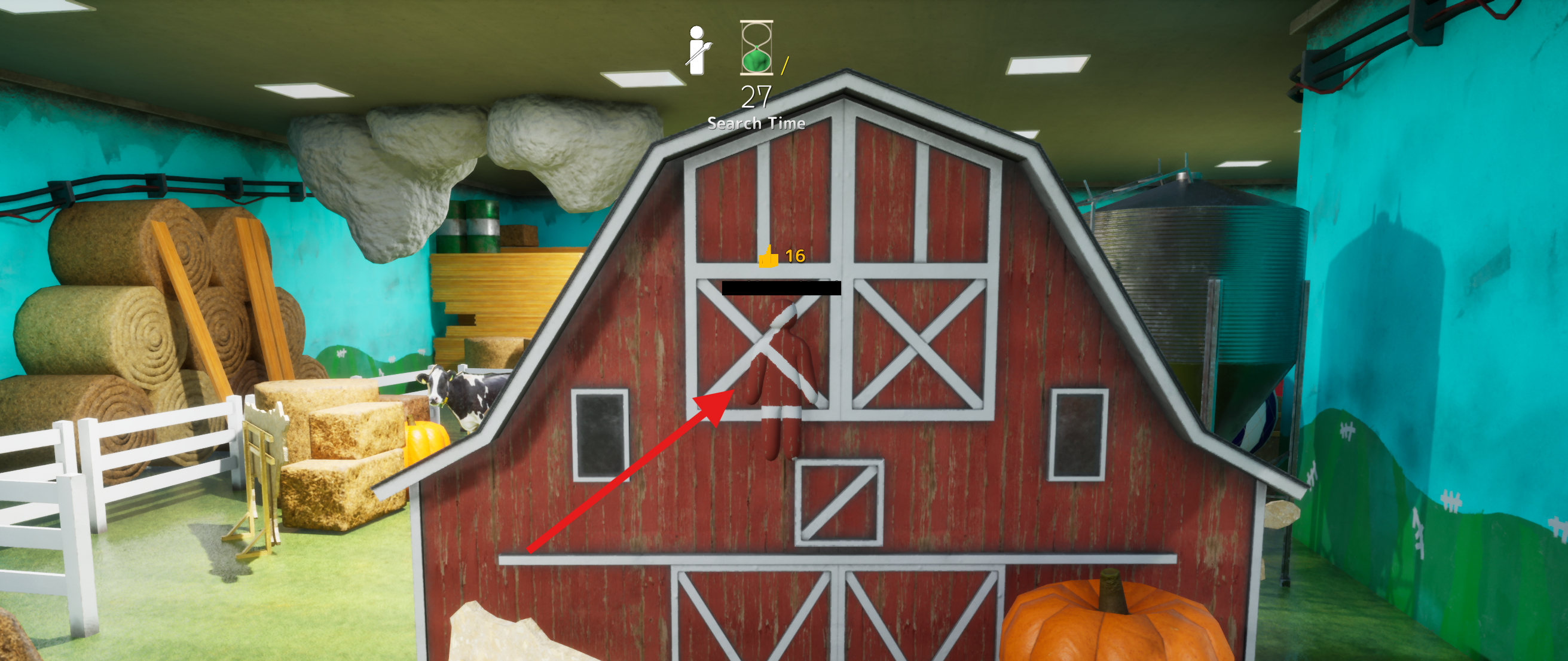
MECCHA CHAMELEON, a hide-and-seek game on Steam built with Unreal Engine 5, has been quite the rage recently. An indie game developer’s dream: 7 million downloads (as of writing) without a single cent spent on advertising, and for good reason. It’s a take on the classic prop hunt game, where players attempt to hide in a cluttered map from hunters, but with the added twist of being able to literally paint themselves into the scenery. For example, can you spot me below? I’ve added an arrow to help.
However, these types of indie games often sport rich attack surfaces, as we’ll examine.
Custom Maps
One of the best parts of the game is the built-in support for custom maps. Without modding the game, players can create maps in UE5, package them into .pak files, and upload them to Steam’s official Workshop for others to play.
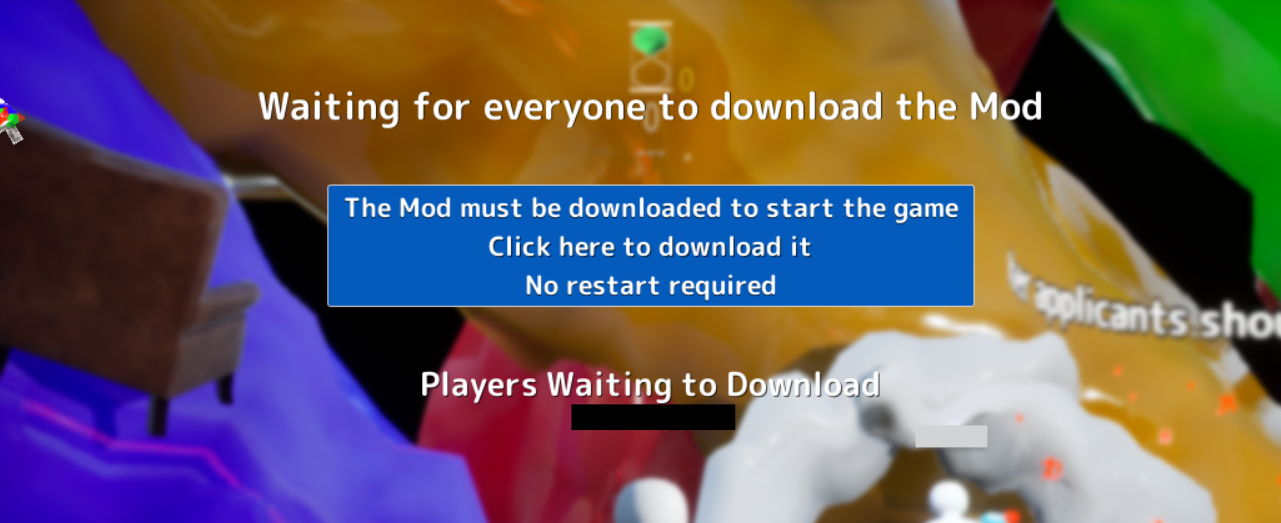
When a lobby host selects a custom map, all players are prompted to download the map from Steam before the game can start. The gameplay loop itself reinforces this; nobody wants to be the one holding up the lobby.
Crucially, Workshop maps can contain more than just levels and textures. They can also include Blueprint logic, which is UE5’s visual scripting system. Any Blueprint placed in a map has its BeginPlay event fire automatically when the map loads on a client. This is standard behavior, used for things like animated doors or environmental effects, but it also means that any logic the map creator includes will execute on every player’s machine upon being loaded. But what can actually be included in this logic?
Digging into Blueprint Scripting & LaunchURL
Many of the functions available were pretty boring from a security perspective. Lighting changes, visual effects, debug info, and so on. Surprisingly, Python commands were available, but they were restricted to the development environment and wouldn’t execute in a deployed map.
One node did stand out, though: LaunchURL. At first glance, it seemed somewhat harmless–a function for opening URLs in the user’s default browser. You could imagine a map creator using it to link to their social media or a Discord server.
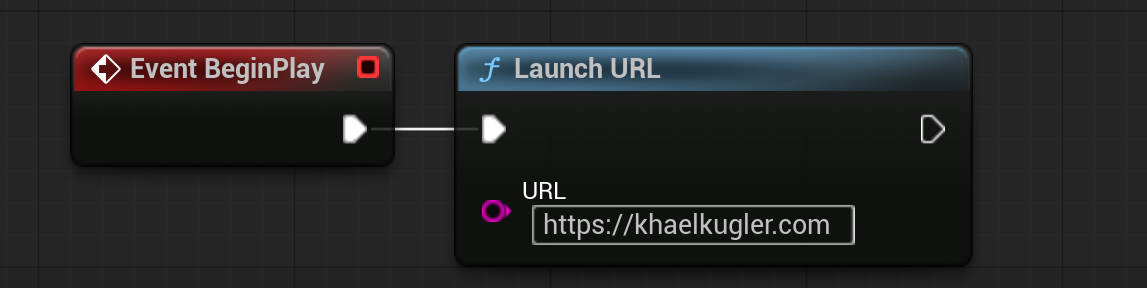
To understand what it actually did under the hood, I pulled the game’s shipping binary (PenguinHotel-Win64-Shipping.exe) into Ghidra. The Blueprint-callable entry point, UKismetSystemLibrary::execLaunchURL, lives at 0x143e305e0. Following the call chain, it goes through LaunchURLFiltered, LaunchURL, and eventually lands on FWindowsPlatformProcess::LaunchURLInternal, which calls ShellExecuteW(NULL, "open", URL, NULL, NULL, SW_SHOWNORMAL).
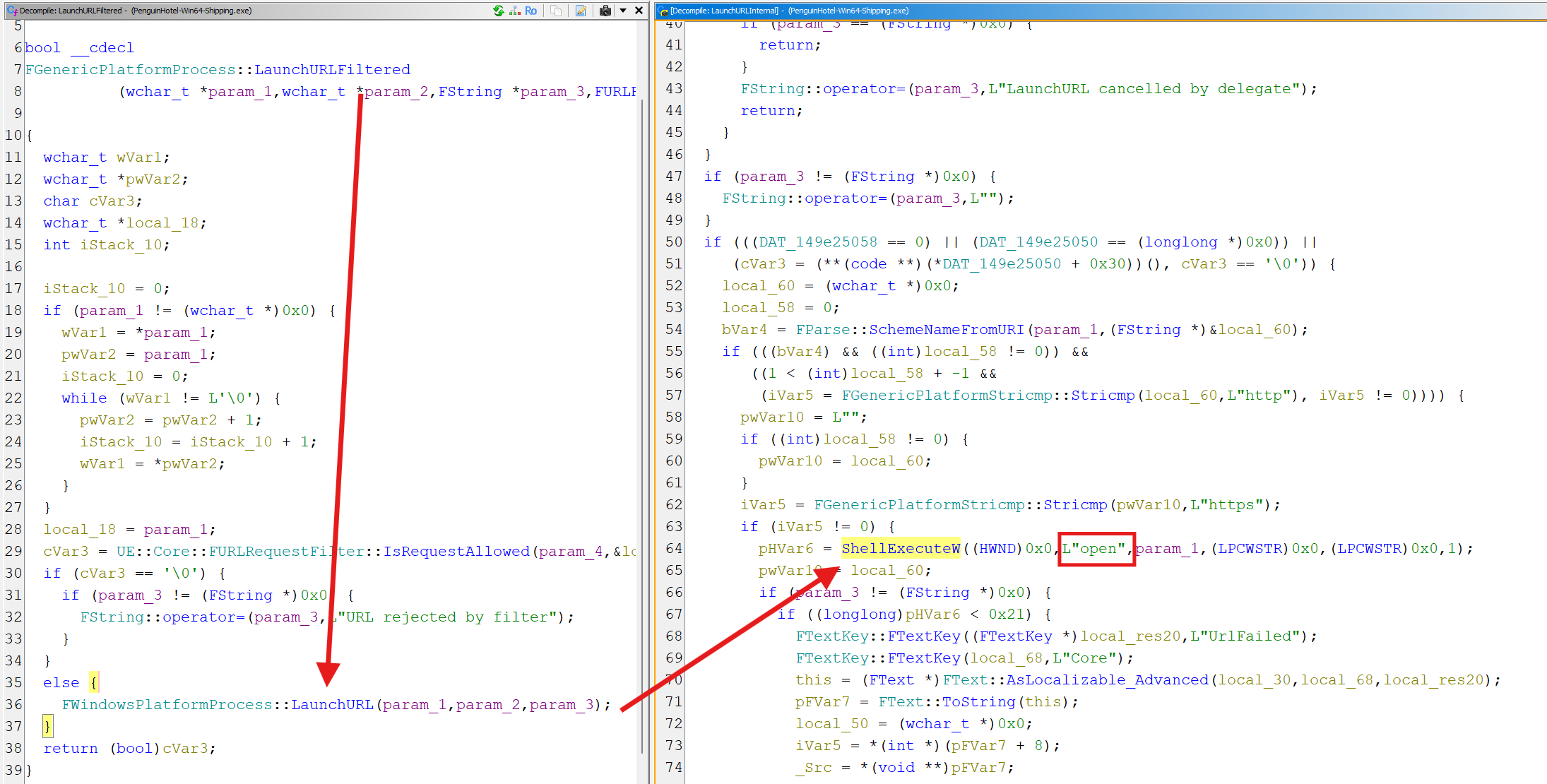
This immediately became a lot more interesting. ShellExecuteW with the "open" verb isn’t just for web pages. It tells Windows to launch the path - similar to double-clicking a file - including running executables.
However, as some of you may have noticed, we don’t have argument control over the ShellExecuteW call - lpParameters is always NULL:
pHVar6 = ShellExecuteW((HWND)0x0,L"open",param_1,(LPCWSTR)0x0,(LPCWSTR)0x0,1)
This means something like "cmd.exe", "/c whoami" is off the table, and passing "cmd.exe /c whoami" would attempt to open the entire string as a path. Running arbitrary commands requires somehow providing a malicious file to the LaunchURL command.
The natural next thought is a UNC path–host a batch file on an attacker-controlled SMB share and pass \\attacker\share\payload.bat. Unfortunately, LaunchURLInternal only routes valid, non-HTTP/HTTPS schemes (like file:// or steam://) to ShellExecuteW. UNC paths don’t have a scheme, so they were routed to LaunchWebURL and opened in the browser.
Side note: This does actually work with a WebDAV share, but due to the mark-of-the-web a big warning box pops up asking the user if they want to execute a random batch script.
Thus, the question became: how do you plant a file on the victim’s machine, at a path you know in advance?
Arbitrary File Delivery
Lucky for me, Steam Workshop items (such as maps) are essentially just folders. When a player uploads content, Steam intentionally allows every file type to be uploaded, leaving it up to the developer to restrict what files are mounted. Their documentation even calls this out, noting to developers that “your submission tool should accept just the file formats your game client expects to load.”
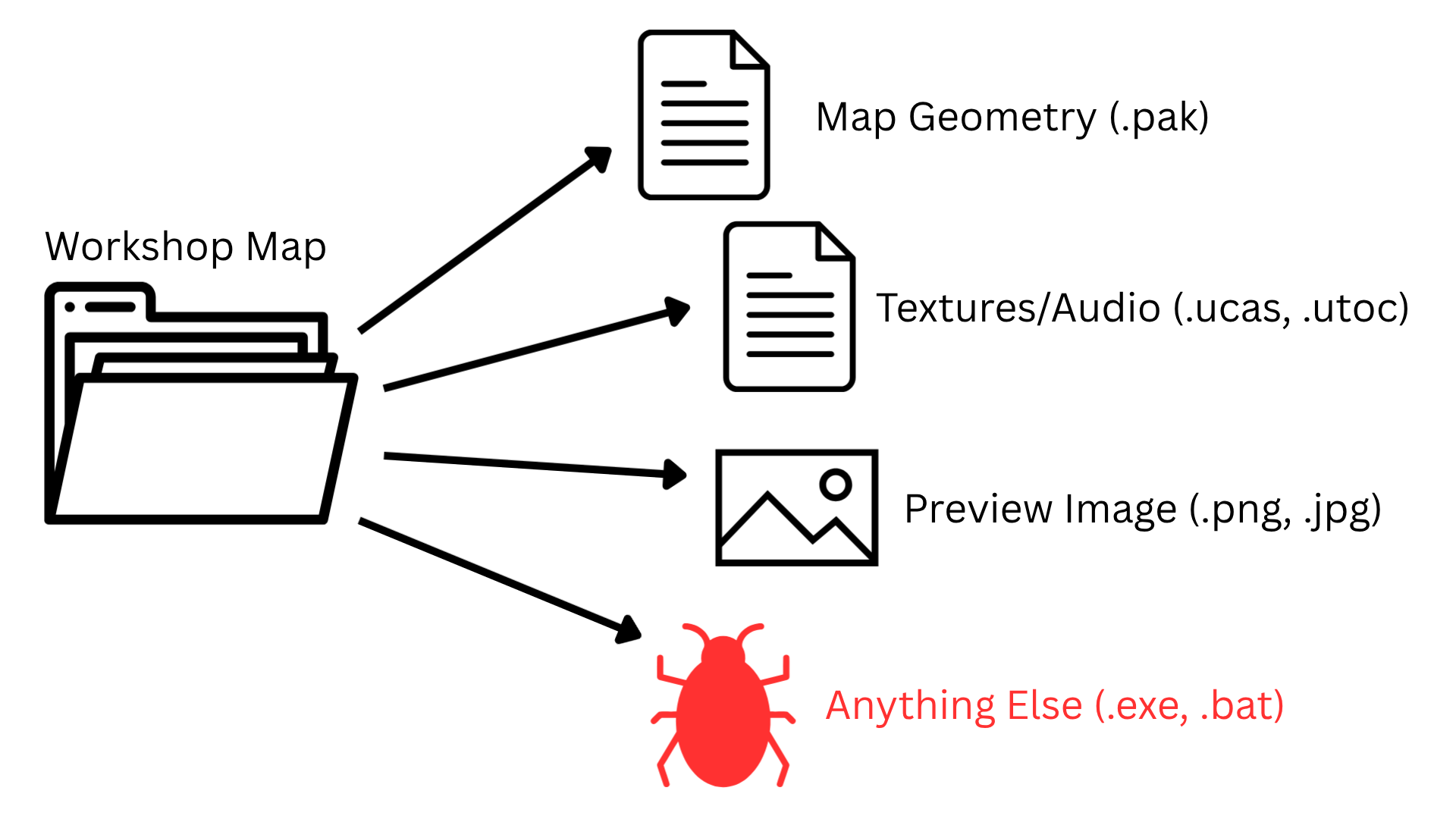
Upon testing, Meccha Chameleon enforced no restrictions on uploaded file types. So let’s just toss a file in the map folder itself, and LaunchURL that path!
To pull this off, I needed a Workshop item ID first. Steam downloads Workshop content to a predictable path on every subscriber’s machine - C:\Program Files (x86)\Steam\steamapps\workshop\content\<app_id>\<workshop_id>\ - but you don’t get an item ID until you’ve uploaded something. So the first step was uploading a benign map just to claim one.
After following many, many tutorials, I created a test map in UE5 and uploaded it.
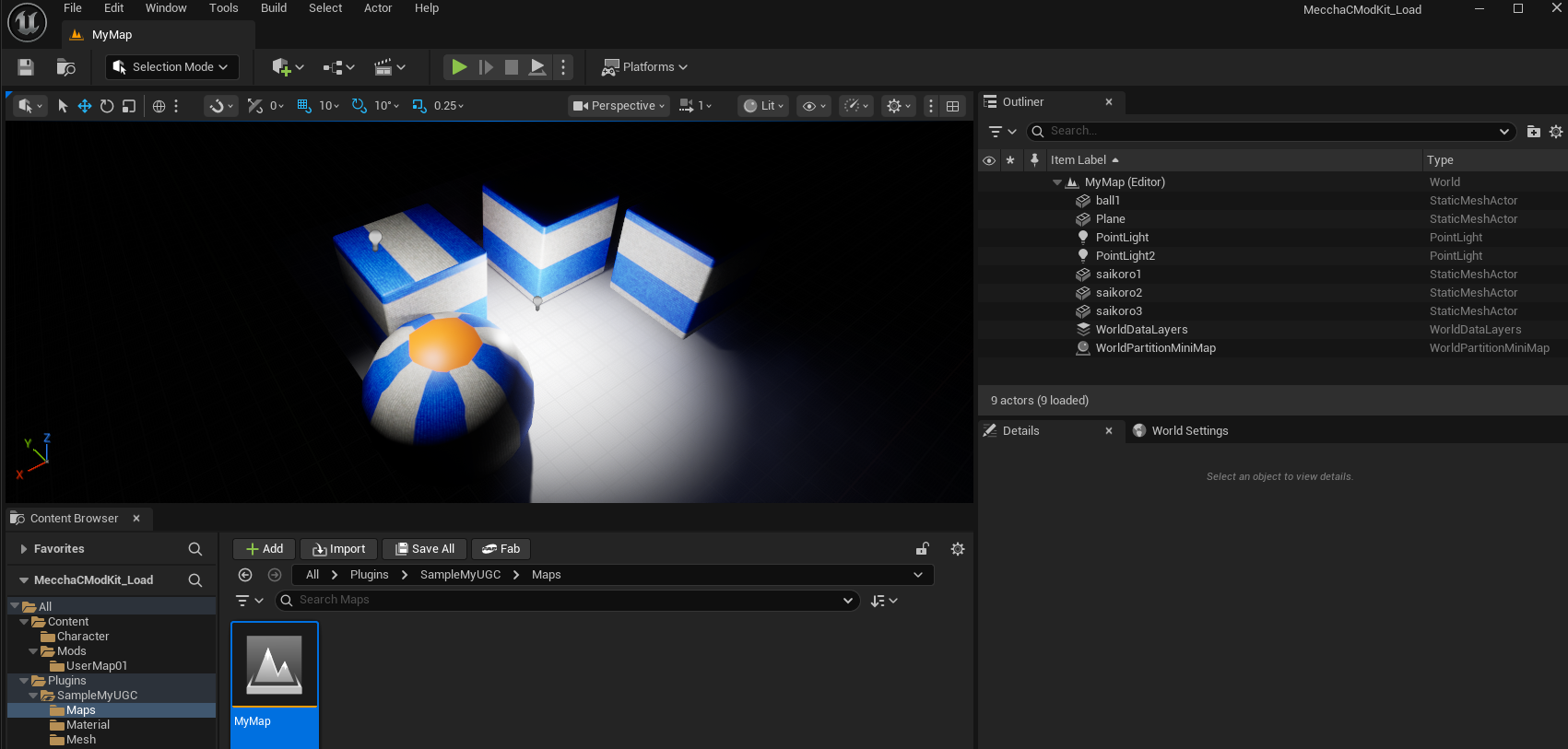

Steam assigned it ID 3747657449. Combined with the game’s AppID (4704690), this meant most subscribers would download the map’s files to C:\Program Files (x86)\Steam\steamapps\workshop\content\4704690\3747657449\.
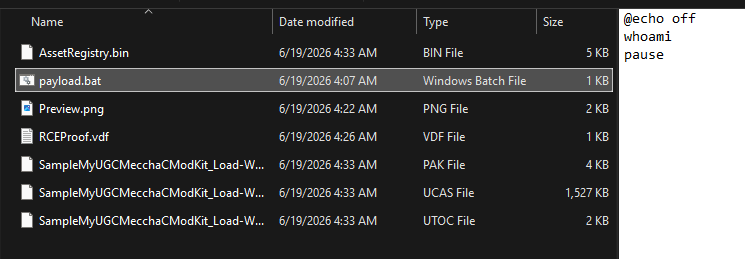
With the path known, I created payload.bat (simply running whoami) and dropped it in the upload folder next to the map’s .pak, .ucas, and .utoc files.
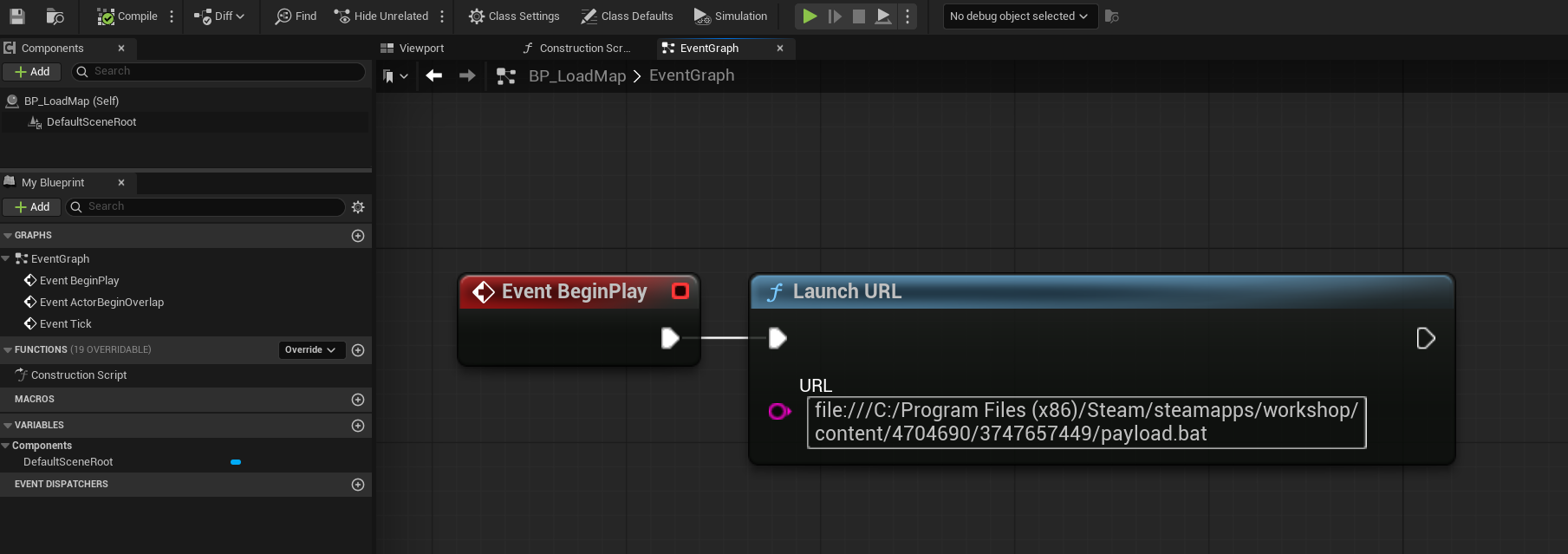
I updated the Blueprint’s BeginPlay event to call LaunchURL with the full path to the batch file and reuploaded the map.

Time to test it out!
Confirming Execution
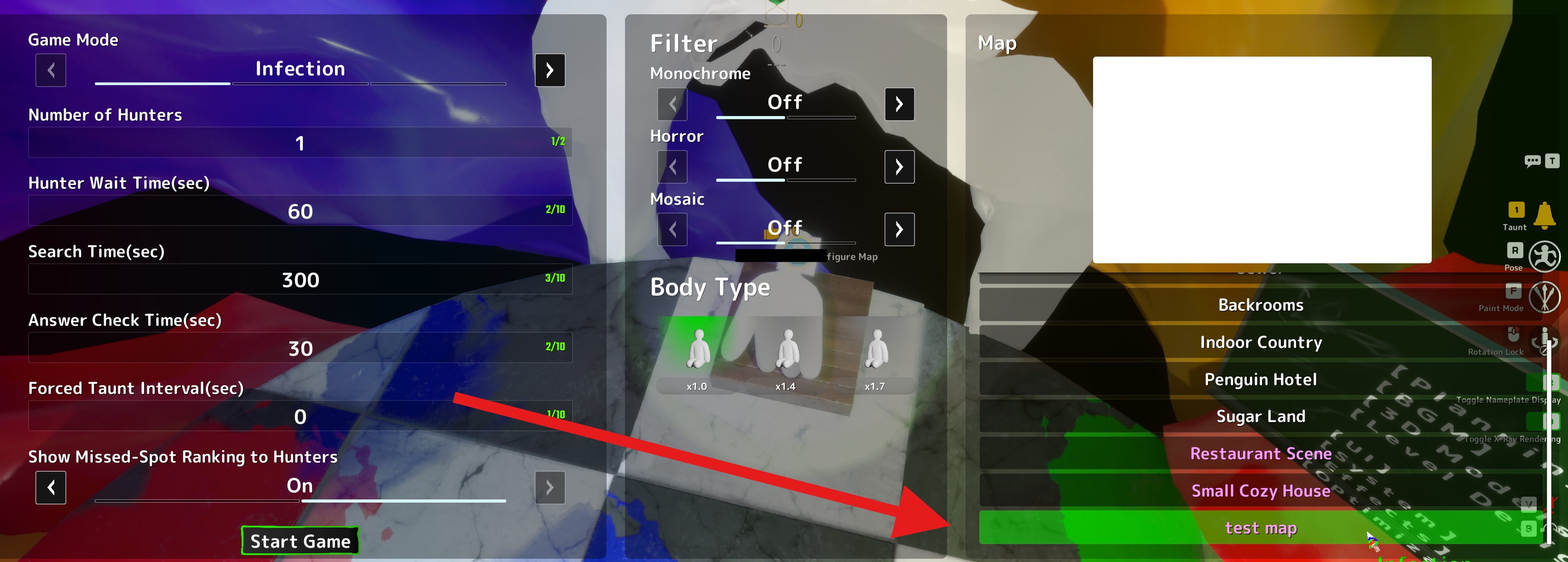
As the attacker, I started by hosting a lobby and selecting the custom map in the lobby settings.
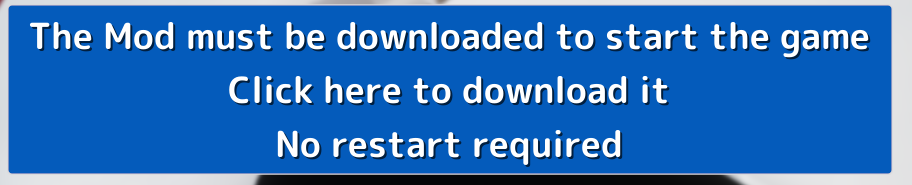
I joined the lobby with a second account and started the game as the host. My victim player in the lobby got the usual prompt to download the map. Clicking through took them to the Steam Workshop page, prompting them to subscribe.
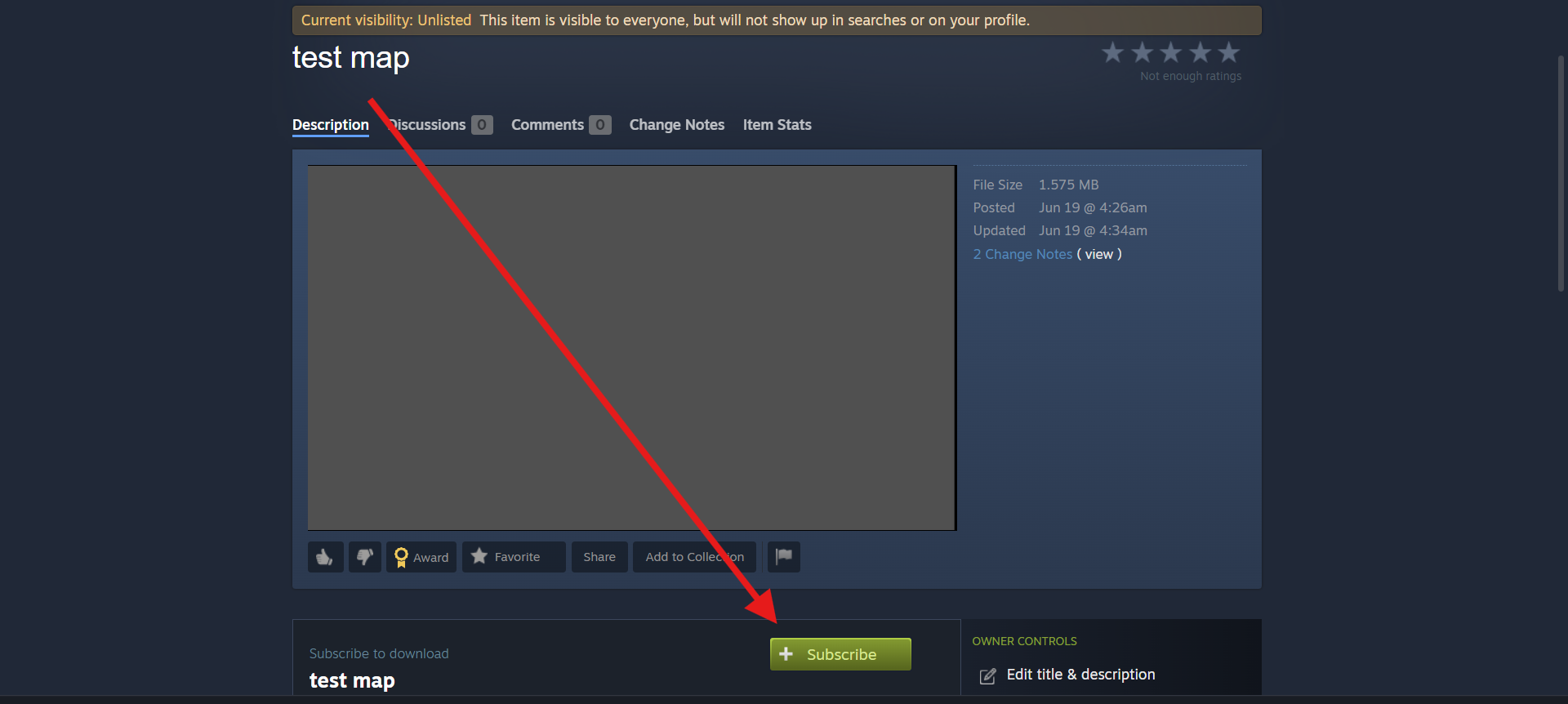
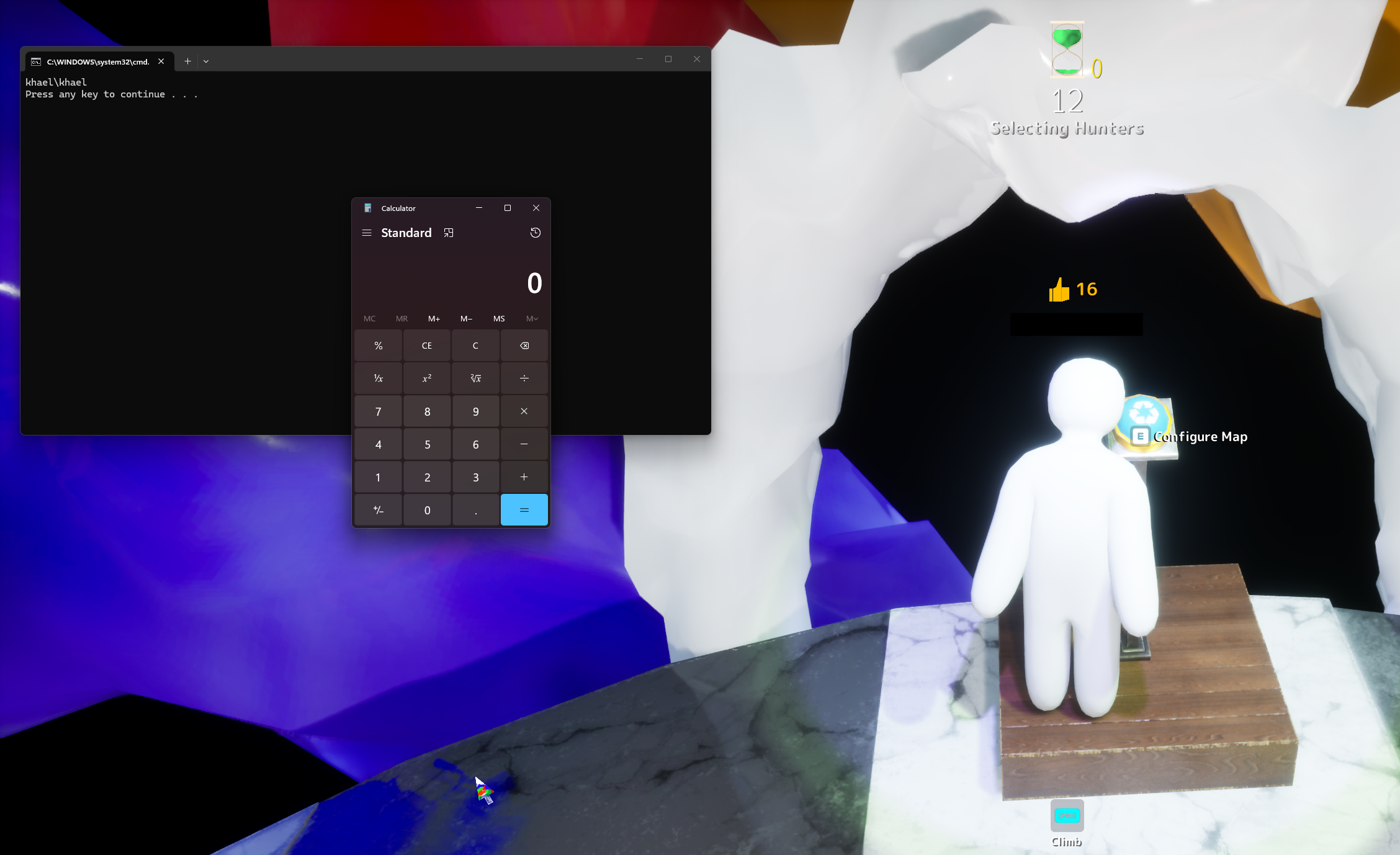
As soon as I clicked Subscribe, the map downloaded, BeginPlay fired, and payload.bat executed. A command prompt popped up with the output of whoami.
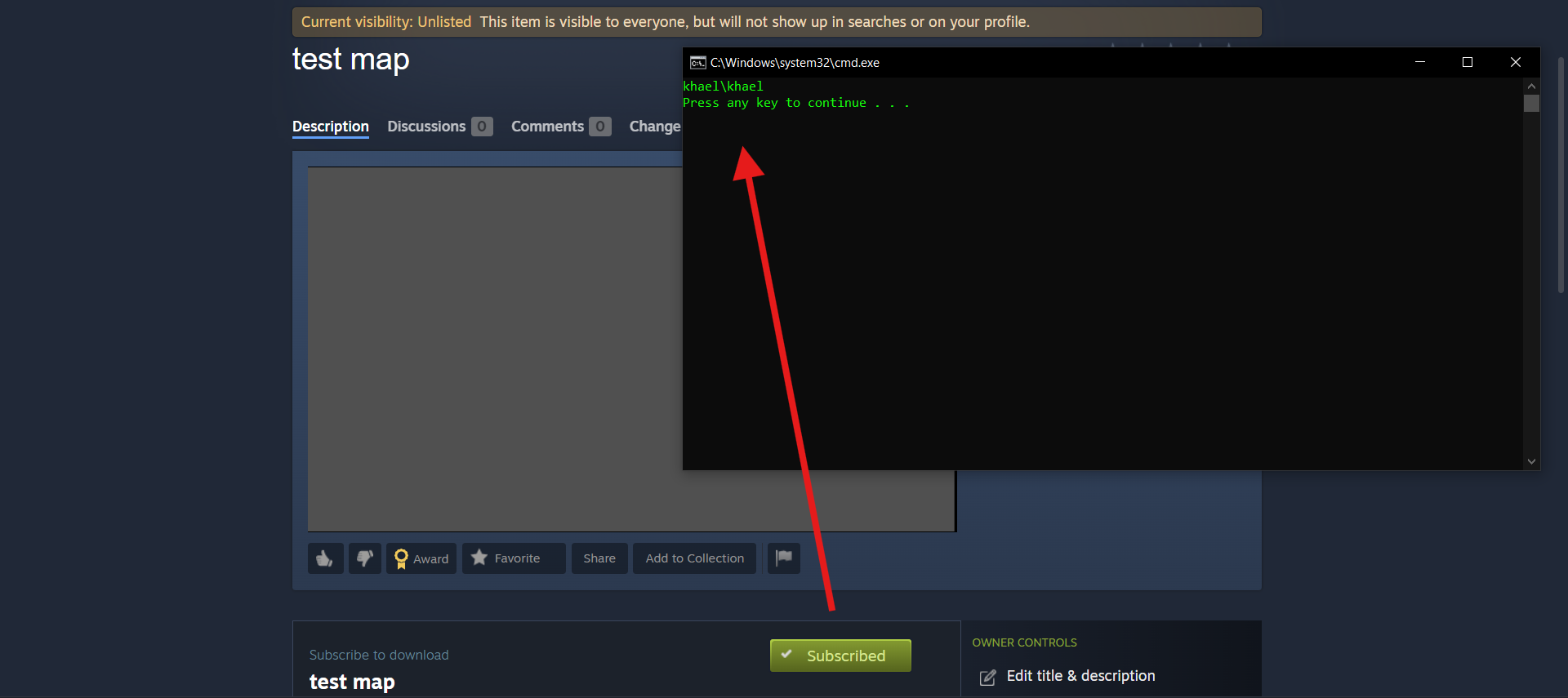
Two clicks, and the attacker has arbitrary command execution on the victim’s machine. The batch file could just as easily be a reverse shell, a malware dropper, or anything else.
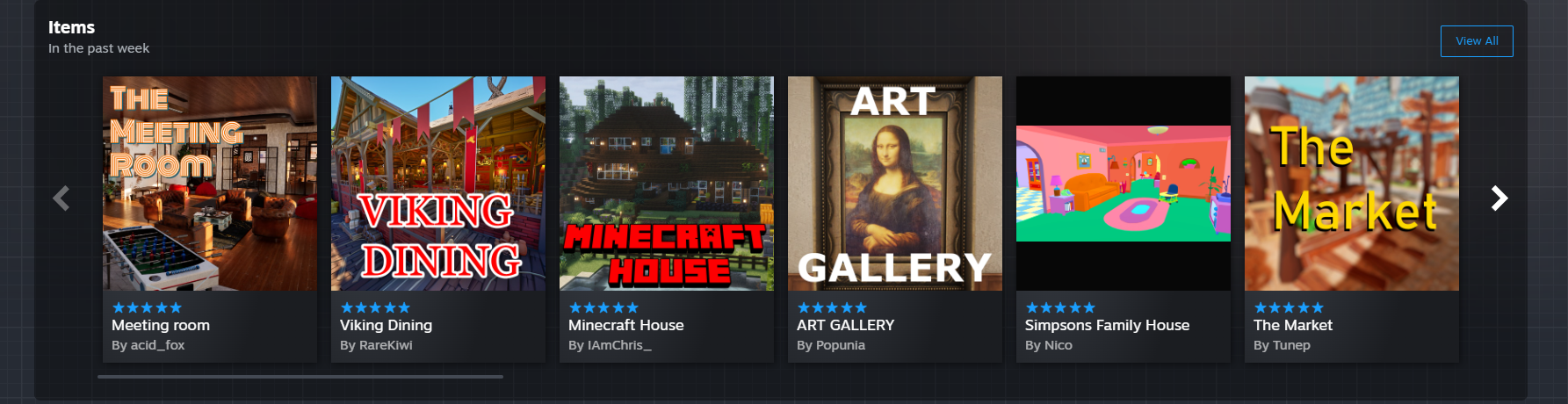
It’s also worth noting that these custom maps are extremely popular. As of writing, the custom “Minecraft” Workshop map had an astounding 2 million subscriptions, out of a total 7 million game downloads, with many others also in the millions or hundreds of thousands. This feature is a very commonly used and accepted part of the game; players don’t think twice about installing items from the Workshop. A well-crafted (or purchased) map could easily amass a massive player base. Worse yet, Steam Workshop items auto-update. A trusted, established map could silently deliver a payload to its entire subscriber base overnight.
Takeaways
This sort of attack seems to be somewhat prevalent within these types of games. Malicious Workshop content has been seen before, such as Kaspersky’s discovery of malicious Wallpaper Engine uploads. It’s tough for developers to recognize what constitutes attacker-controlled data, and it’s easy to assume that Steam handles the filtering. If your game supports user-generated content, treat it as untrusted code–allowlist asset file types in Workshop uploads and restrict UE5 Blueprint usage.
This vulnerability has been patched in the latest versions, with the game no longer mounting arbitrary files to disk and only accepting files with whitelisted extensions. I’ve also reached out to Epic Games to hopefully establish a default policy in UE5 that prevents LaunchURL calls from opening anything other than safe HTTP/HTTPS links, though I’ve yet to hear back. If game developers would like maps to be able to launch other schemes, they would ideally have to manually add them to an allowlist. Secure defaults, folks!
July 25th Update
Per this article, a method of using Blueprints for arbitrary file writes was discovered. This bypasses the developer’s fix of blacklisting uploaded filetypes. After investigating it myself, I was able to recreate the vulnerability, so I got in contact with the devs and helped get the most recent patch out. This new patch prevents arbitrary LaunchURL files from being launched, though I’d still say Epic needs to set this as a default.
From checking out the batch file being used in the campaign (thank you @t0asts), the below message eventually replaced the original payload:
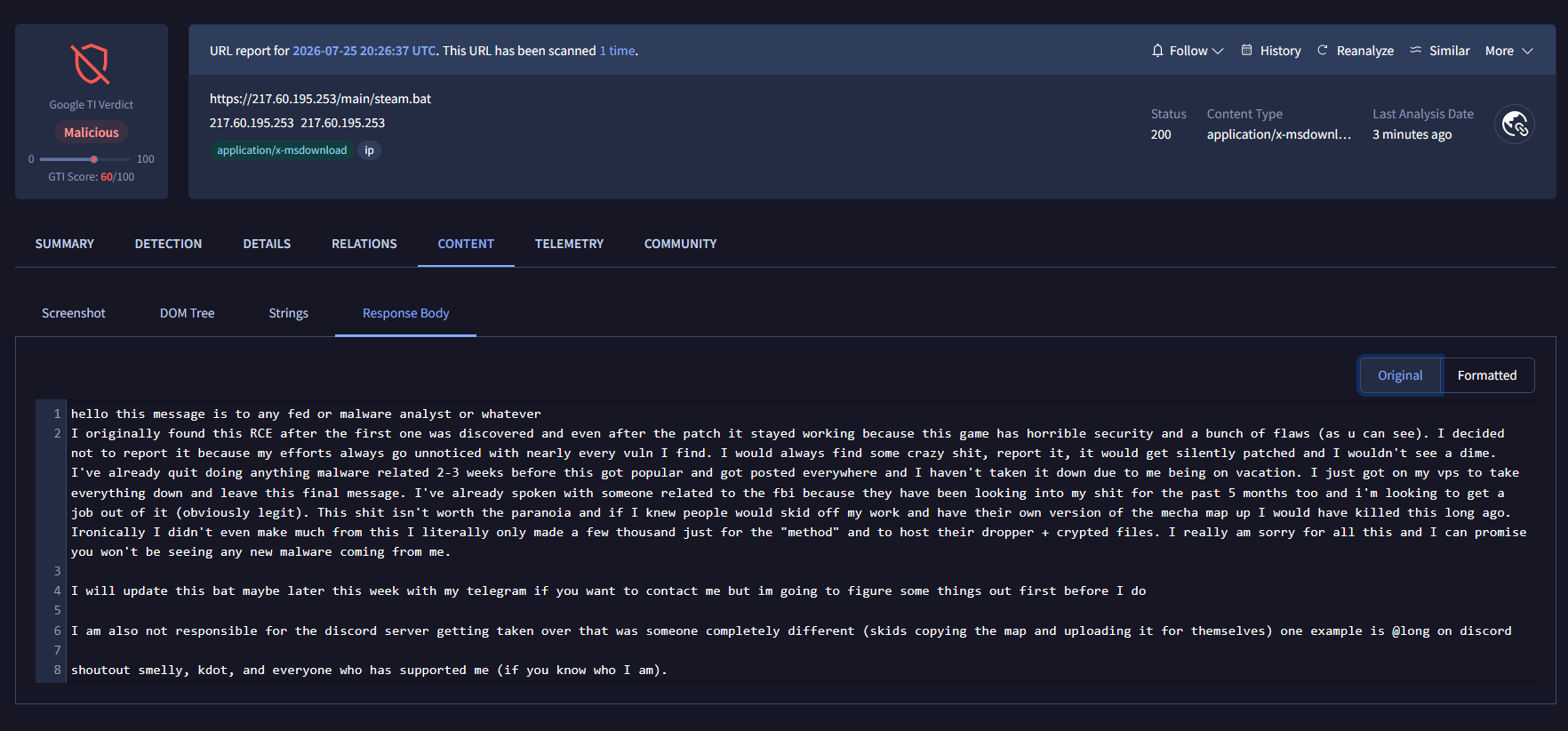
This sort of mentality is understandable. Doing security research like this is often a thankless job, protecting people who don’t know what RCE is and reaching out to devs that barely respond. It definitely takes some serious tenacity. I had to hop between multiple Discord servers, fire cold messages on Twitter, auto-translate everything I sent into Japanese, and pray that any message that did make it through was read.
But their mindset is defeatist–getting in contact is possible and does happen regularly, as demonstrated here. The tenacity is important; helping solo indie devs who don’t often have this insight adds a lot to the gaming community. Imagine how much time went into this game and the many less-successful games before it (which, for these devs, is quite a few). And imagine from the developer’s perspective how much could be (and was) lost by a successful malware campaign, especially for a game this big.
As for why the LaunchURL misconfig wasn’t fixed alongside the arbitrary file mounting, I believe a bit of a language barrier and an overwhelming amount of other work led to the devs only fixing the first half of the exploit. I did include it in my initial recommendations to the developers. At the time, blocking arbitrary file mounting did end up killing the exploit chain, although LaunchURL could still supply arbitrary schemas. I do wish that I was able to prove out the full attack path after the initial patch, but I’m glad that this exploit was also quickly shut down after being publicized.